Daily pay sheets for field crews
Retire the paper tickets and the Friday spreadsheet chase. Crews fill in what they finished from a phone or iPad, managers approve in a tap, and your billing team gets every approved sheet, line by line, in their inbox.

How it works
Pick the job, tap the items from your own price book and enter the quantities. A saved template fills in a typical day with one tap.
Snap photos or add PDFs right on the sheet. The proof of work stays with the record, not in someone's camera roll.
The job's approvers hear about it right away. They approve it, or send it back with a note that says exactly what to fix.
Built around your day
No new process to learn and nothing to babysit. PaySheet follows the way your jobs, crews and price books already work, and keeps the paperwork moving on its own.
Crews spend their time on the job, not on paperwork. The office stops retyping tickets. Billing stops waiting.
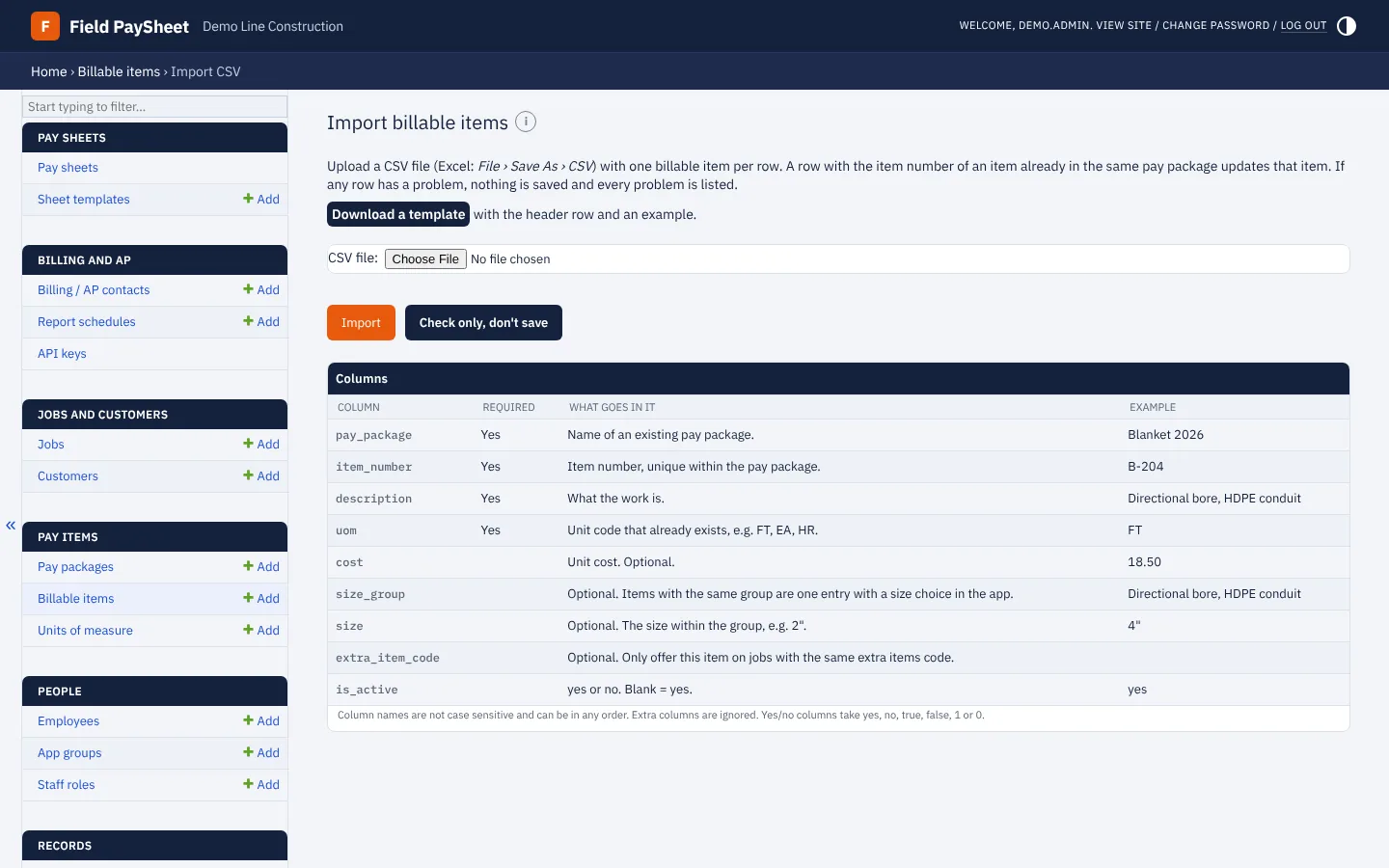
Import your price book, jobs, customers, crews and employees straight from a spreadsheet.
Each crew sees its own jobs, and each job offers only the items in its pay package, with sizes grouped in one pick.
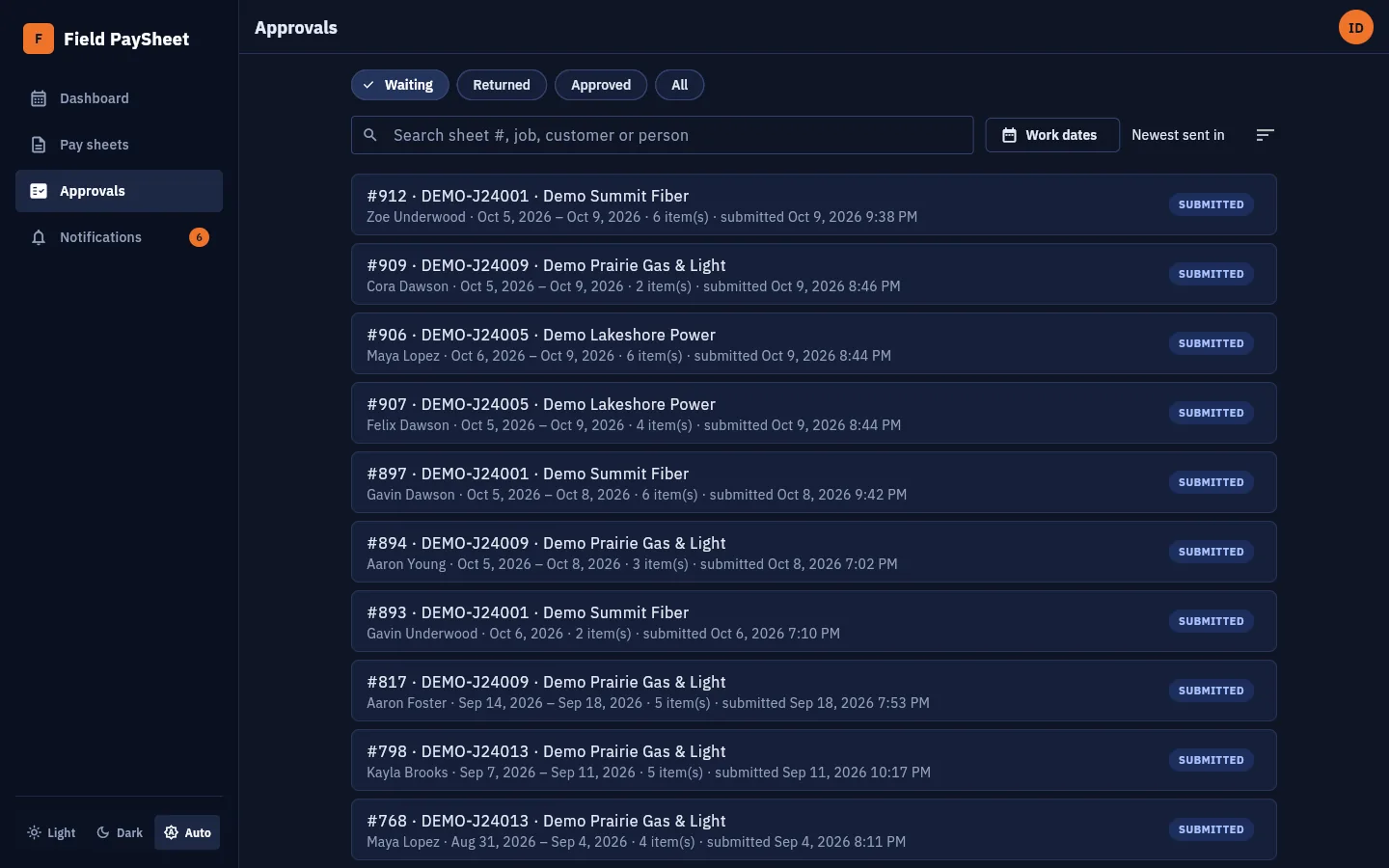
Waiting sheets come first. Search by sheet, job, customer or person, and sort by date, job or crew member.
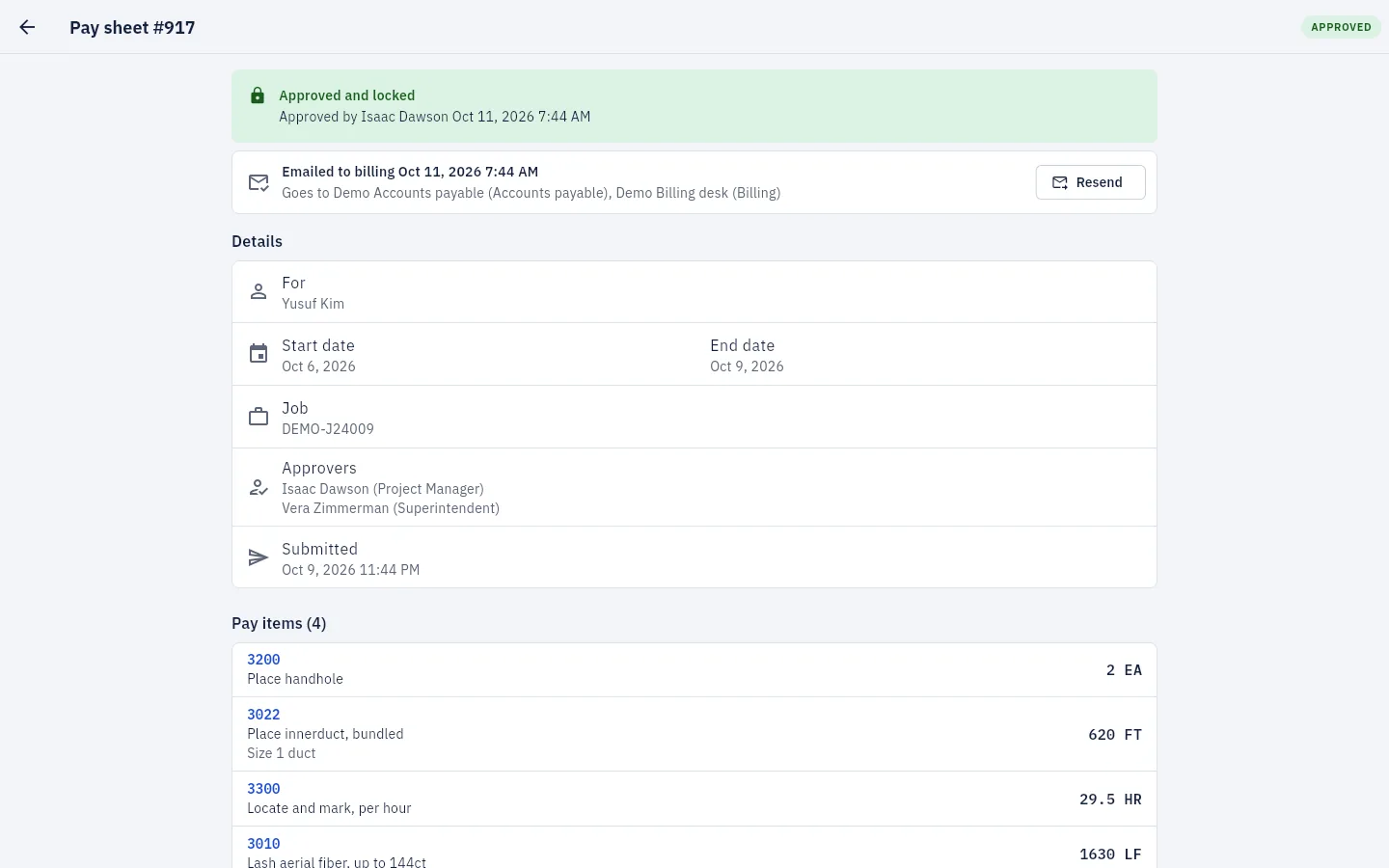
Approved sheets are emailed to billing and AP automatically, can be resent in one click, and are also available as scheduled CSVs or through an API.
Sheets save as you type, even on a weak signal. Approved sheets lock, and every change is on record.
Phone, iPad or desktop, in light or dark mode. Add it to the home screen and it opens like any other app.
See it in action
Real screens from PaySheet, filled with sample data.

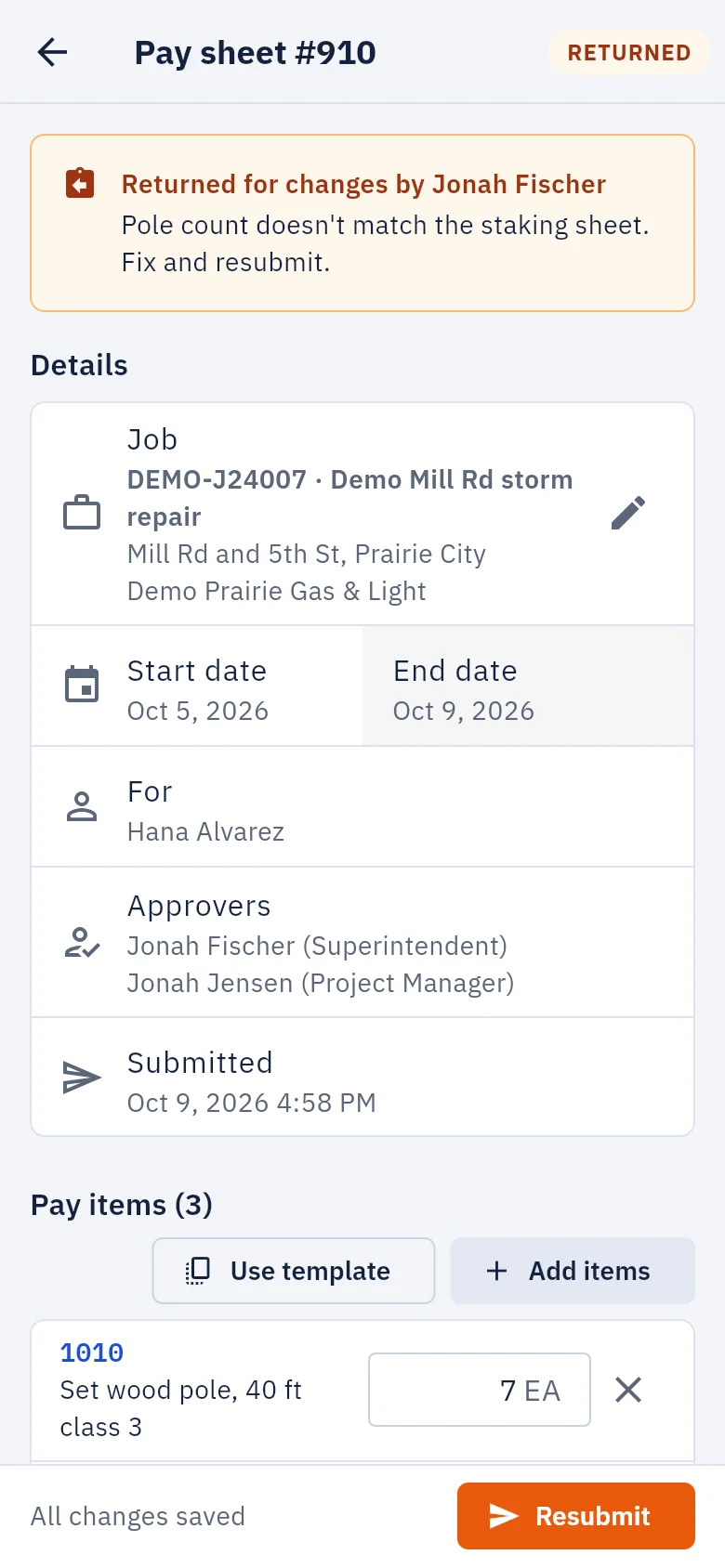
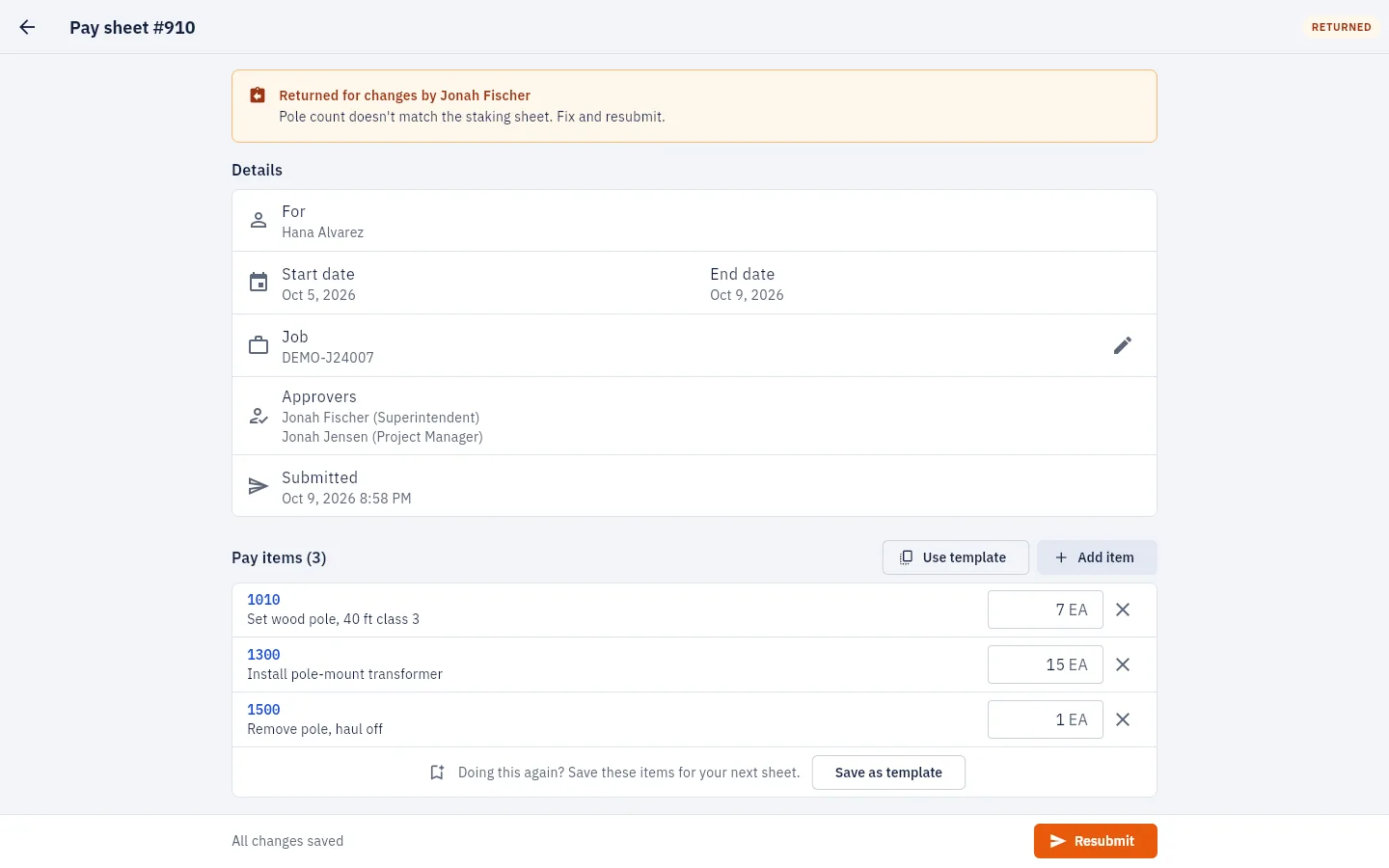
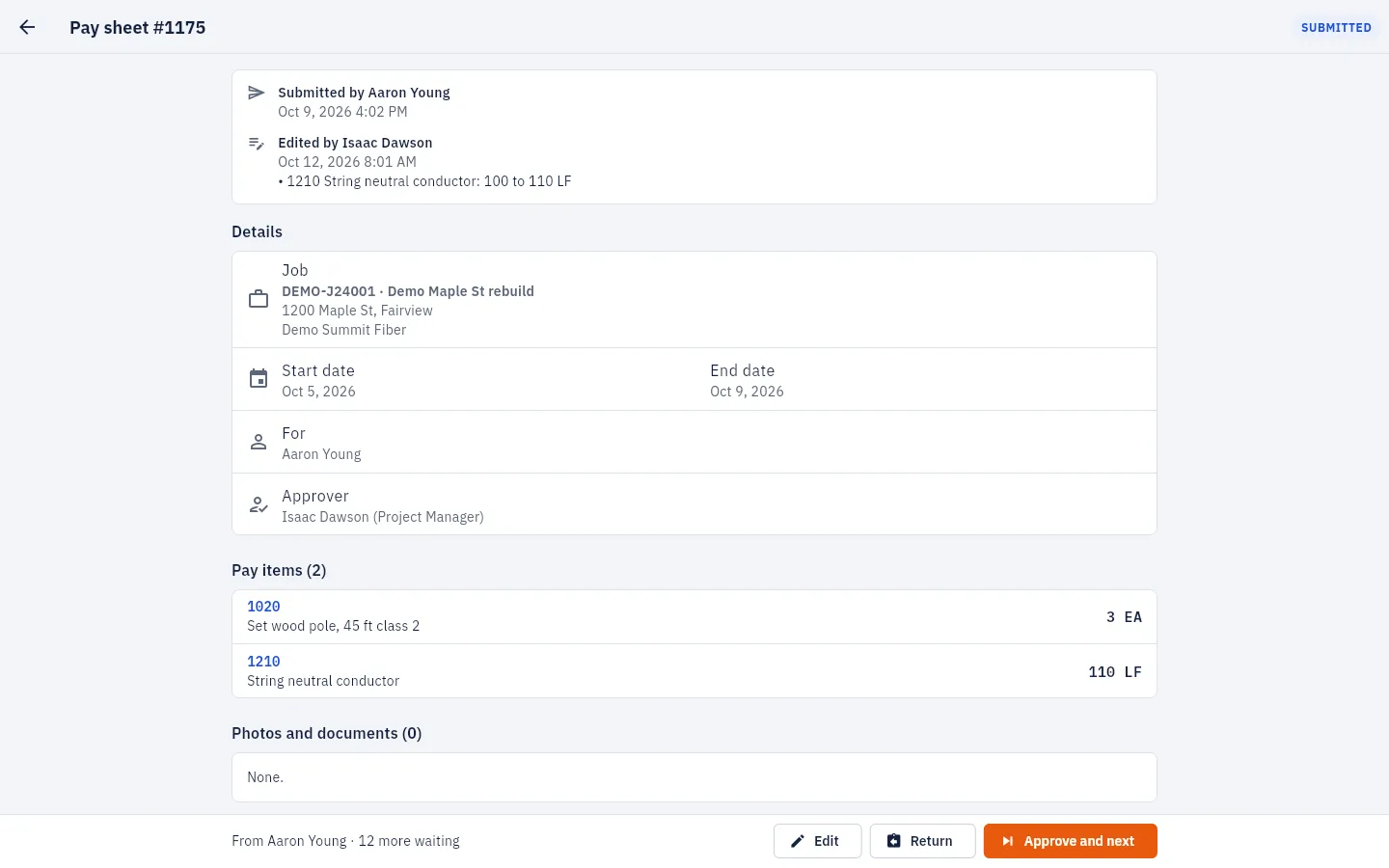
Everything on one screen: the job, the dates, who approves it and what was done.

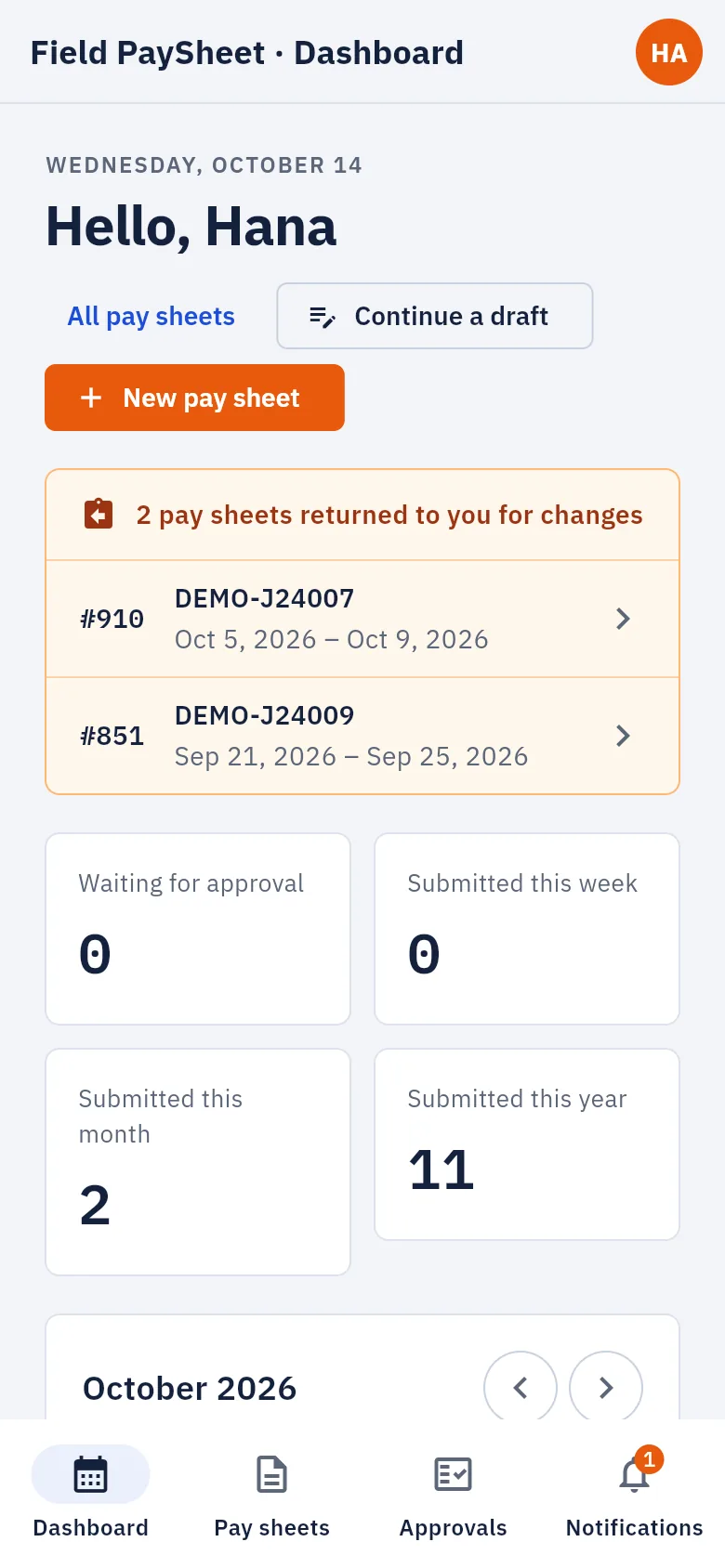
Big buttons, a clear list of what was sent back, and the week at a glance. Crews finish a sheet before they leave the site.

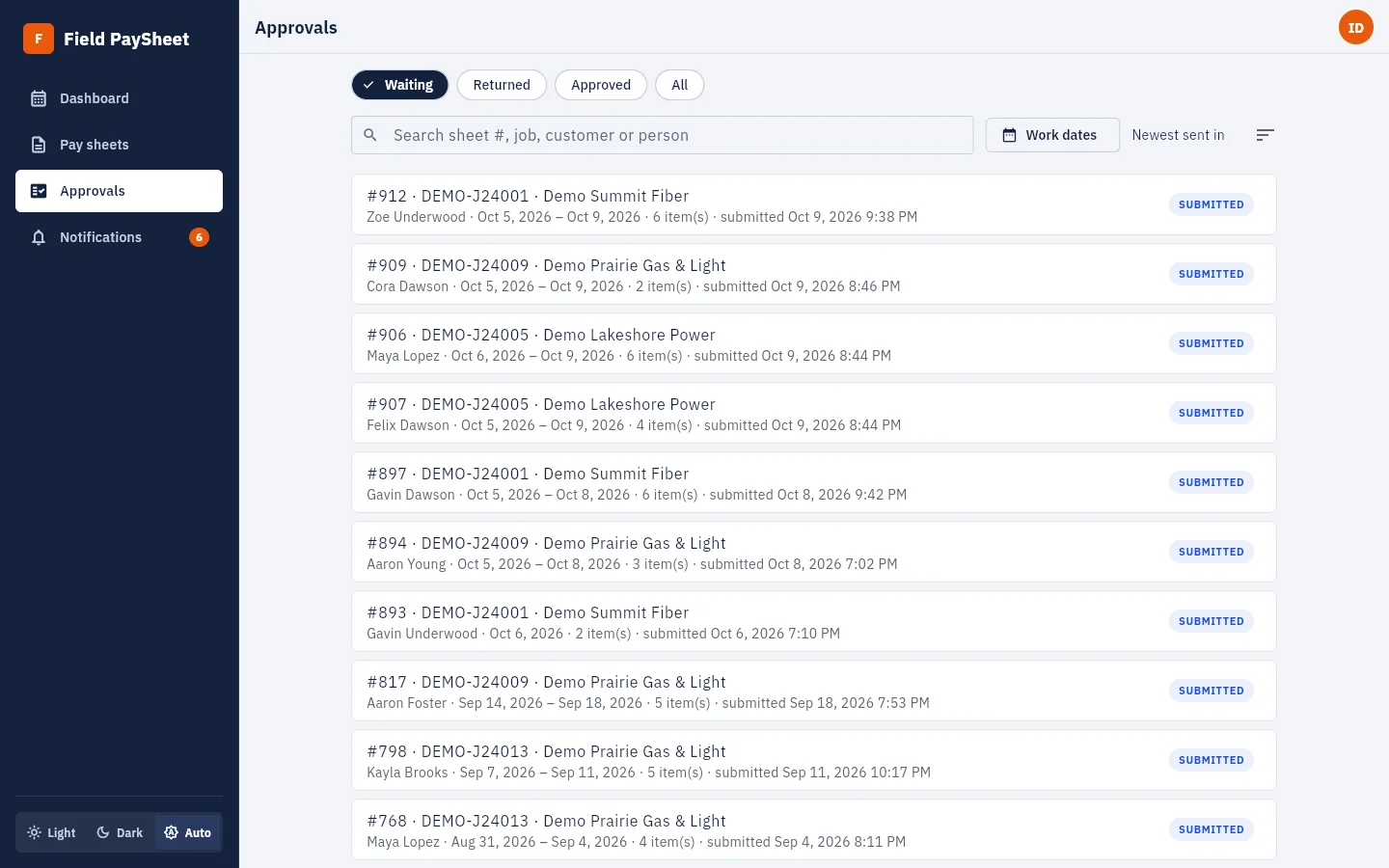
Managers see what is waiting on their jobs and nothing else.

A wrong count doesn't have to cost the crew a trip back to the truck. Managers you allow can correct the sheet and approve it themselves.

Approval locks the sheet and emails your billing and AP contacts on the spot, with every line and a CSV.

Your office manager sets it up, not a consultant.

Light, dark, or follow the device. Same screens, same buttons, whatever the shift.
View full sizeWho it's for
Pick the job, tap the items, snap the photos, send. No paper to lose and no Friday catch-up.
Everything waiting on your jobs in one sorted list. Approve it, fix a line yourself, or send it back with a note.
Every approved sheet arrives by email with its lines and totals, ready for your accounting system.
Pricing
No add-ons, no extra modules and nothing locked behind a bigger package.
Tell us a little about your company and we'll reply with the price and a time to walk you through it.
Email us contact@fieldpaysheet.comLog the work. Attach the photos. Send it for approval. Your crews will have it down after one sheet.